



- The best 2026 mini PCs now rival traditional desktops for office, home, and creative use.
- Mature AMD Ryzen mobile silicon and aggressive pricing enable local LLMs, video editing, and quad-monitor setups.
- The Geekom A9 Max 2026 Edition anchors a comparison of seven currently-sold, AI-capable models.
- The price-performance gap between a $700 mini PC and a $1,200 desktop is now narrow for most users.
Introduction: Mini PCs Grew Up — Now They Run Local AI
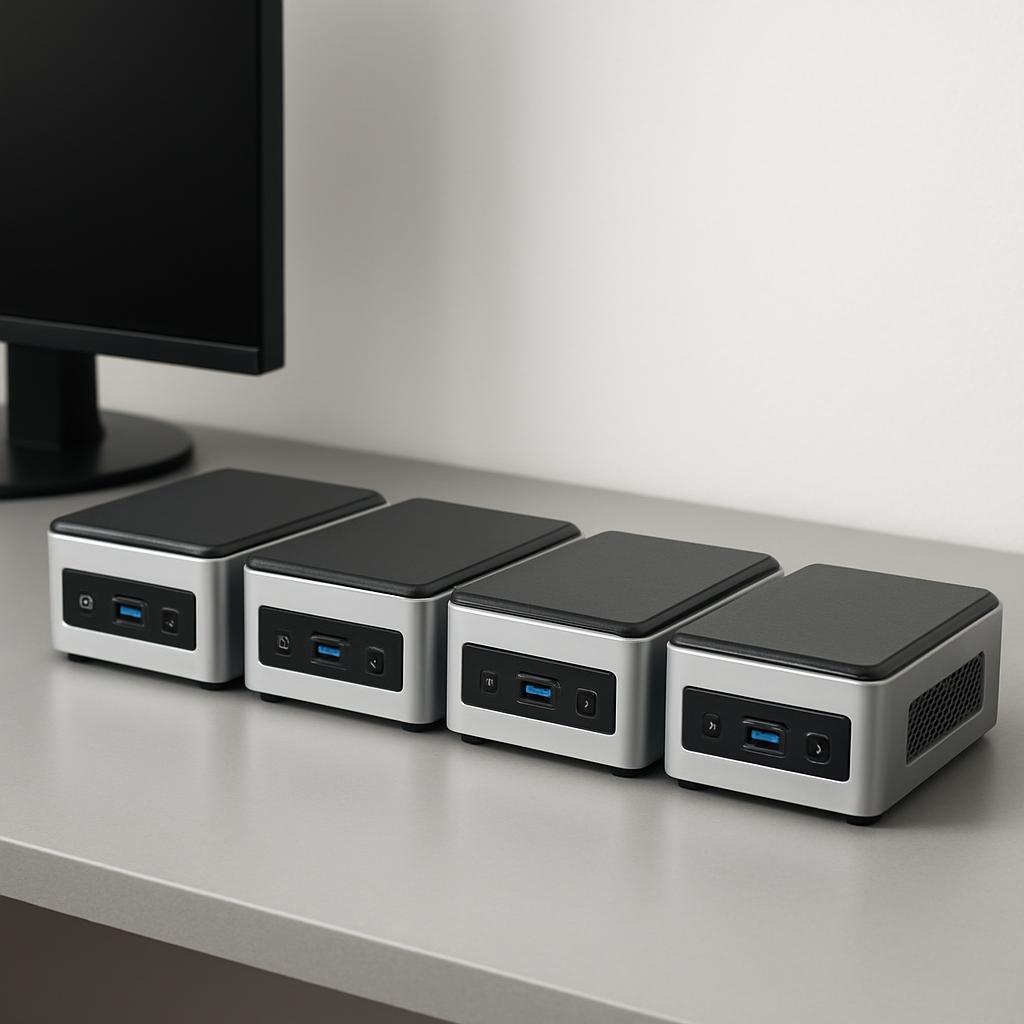
The mini PC category quietly crossed a threshold in 2026: the best compact boxes are no longer underpowered desktop substitutes but genuine workstations capable of running local large language models, editing video, and driving quad-monitor setups. The trigger was AMD’s mature Ryzen mobile silicon and a wave of Chinese manufacturers competing hard on price. As one repair shop that sees these machines weekly puts it, the gap between a $700 mini PC and a $1,200 traditional desktop is now genuinely narrow for office and home use.
This guide compares seven real, currently-sold AI-capable mini PCs — anchored by the much-discussed Geekom A9 Max 2026 Edition — and tells you honestly which one fits which budget and workload. The headline tension across the category is simple: do you want a balanced, well-built generalist with a strong warranty, or a memory-monster built specifically for running big AI models locally? Those are two very different machines, and the marketing rarely makes the distinction clear.
We’ll cover the decision criteria that actually matter (memory bandwidth, RAM capacity, upgradeability, warranty, and the often-misleading “TOPS” number), give each pick a real pro and a real tradeoff, and end with a plain-English recommendation that maps your situation to a specific model. Prices change constantly in this category — treat every figure here as an approximate range and confirm current pricing before you buy. A note up front: spec details cited as “per manufacturer” come from vendor pages and may differ from independent testing.
What should you look for in an AI mini PC in 2026?
The single most important spec for local AI is memory — both how much you have and how fast it moves — not the headline “TOPS” rating. Popular inference stacks like Ollama, llama.cpp, and LM Studio don’t route LLM workloads to the NPU, so planning your purchase around NPU TOPS for LLM use is largely a mistake today. If running models locally is your goal, put your money into RAM capacity and memory bandwidth instead of chasing a bigger TOPS figure on the box.
Capacity sets your ceiling on model size. 32GB of RAM is the practical minimum for serious local AI work in 2026, while 16GB limits you to small models with no headroom. Bandwidth then determines speed: LPDDR5X in AMD’s Strix Halo chips delivers 200+ GB/s, standard DDR5 SO-DIMMs deliver 76–100 GB/s in dual-channel, and older DDR4 tops out around 50–60 GB/s. For perspective, Apple’s M4 Pro unified memory reaches 273 GB/s, which is one reason Mac minis punch above their weight on tokens-per-second benchmarks.
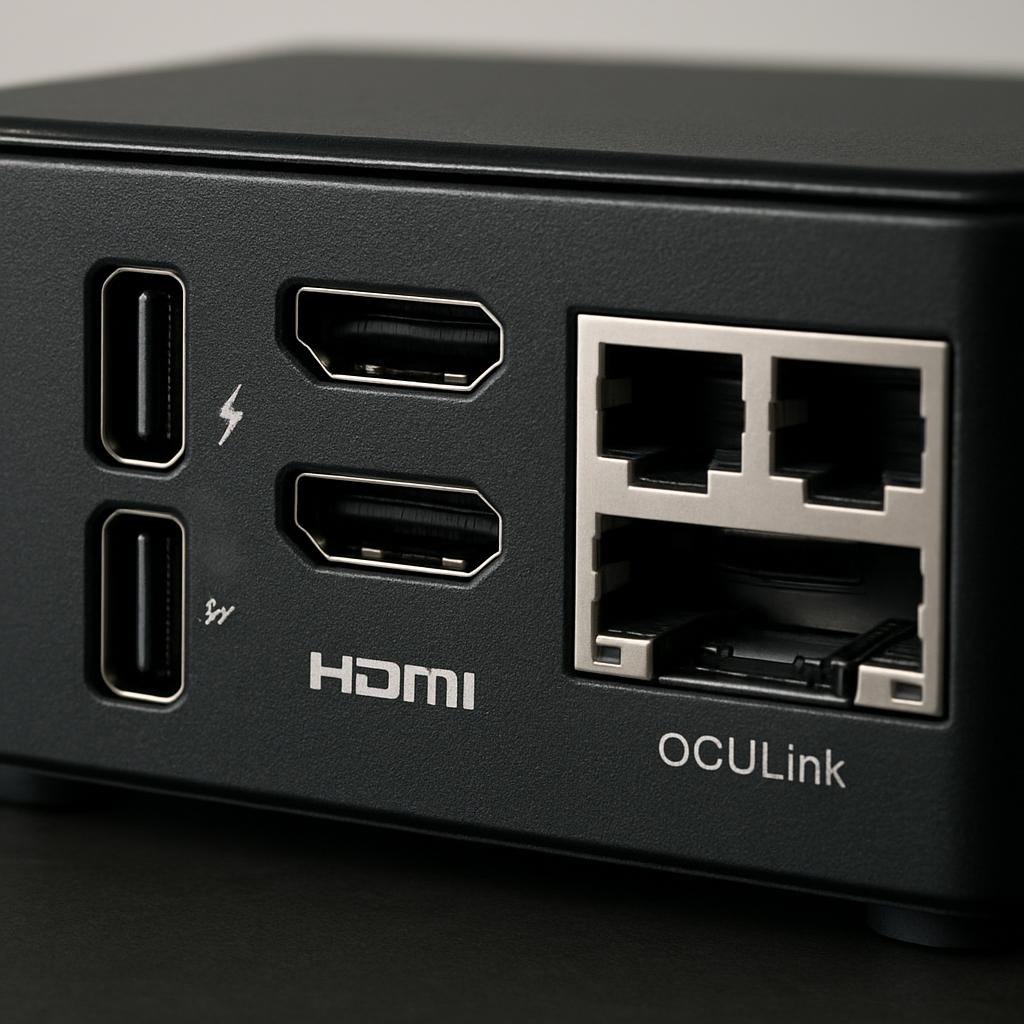
Beyond AI, four practical factors separate good buys from regret: upgradeability (soldered LPDDR5X is faster but caps you forever, while SO-DIMM slots let you grow), expansion ports (OCuLink and USB4 open an eGPU path), display support, and warranty. Warranty matters more here than in almost any other PC category because the support path is the real bottleneck — when a no-name box fails, you’re often stuck. Verify whether RAM is soldered or socketed before buying; it’s the difference between a three-year machine and a five-plus-year one.
Why “TOPS” is the most misunderstood spec
TOPS (trillions of operations per second) measures NPU throughput, and the marketing leans on it heavily — the Geekom A9 Max advertises 80–86 combined TOPS and qualifies as a Copilot+ PC. That rating genuinely helps with Windows AI features like Copilot, background noise suppression, and image effects. But for the workload most enthusiasts care about — running a chatbot or coding assistant locally — most inference frameworks still primarily use the CPU and iGPU, not the NPU. A machine with a modest NPU but 128GB of fast memory will run far larger models than a high-TOPS box with 32GB.
Soldered vs. socketed memory: the trade-off that defines longevity
This is the quiet fork in the road. Socketed SO-DIMM machines like the Geekom A9 Max let you start at 32GB and climb later — Geekom lists support for up to 128GB of upgradeable DDR5 and dual PCIe 4.0 SSD slots for up to 8TB. The Strix Halo machines (GMKtec EVO-X2, Beelink GTR9 Pro) use soldered LPDDR5X — far faster, but whatever you buy is the lifetime ceiling. If you value future flexibility, choose sockets; if you want maximum AI bandwidth today and accept the ceiling, choose the soldered unified-memory route.
Which mini PC is best for running local LLMs versus general work?
For general productivity and light creative work, a socketed Ryzen AI 9 machine like the Geekom A9 Max is the better all-rounder; for running large local LLMs, a 128GB Strix Halo box like the GMKtec EVO-X2 wins decisively on memory ceiling. These are two different jobs, and choosing the wrong tool wastes money in both directions.
The Geekom A9 Max 2026 Edition is built around the AMD Ryzen AI 9 HX 370 or the newer HX 470, with the Radeon 890M integrated GPU. Tom’s Guide called it an incredibly fast mini PC with desktop-class power, paired with upgradeable RAM and storage in a case only slightly wider than the Mac mini M4. It excels at everyday work, photo editing, and 1080p video. But it has limits: TechRadar’s testers found it struggled when pushed to 4K video editing, with fans kicking in and rendering times slowing down. That’s the honest ceiling of a 32GB, 890M-class machine.
If your priority is the biggest models for the least money, the calculus flips. The GMKtec EVO-X2 pairs the Ryzen AI Max+ 395’s 16 CPU cores with a 40-core RDNA 3.5 GPU and 128GB of LPDDR5X. Reviewers peg its unified memory at roughly $9/GB versus about $44/GB for a Mac mini M4 Pro, though they’re candid that 70B models run at a functional-but-slow 4–8 tokens/second and that Linux is effectively mandatory for best performance.
What do real-world reviews and benchmarks actually show?
Independent reviews in 2026 consistently rate the Geekom A9 Max as a top-tier Windows all-rounder while flagging its premium price and 4K editing limits. TechRadar ranks it best overall among mini PCs, praising the all-metal build and Ryzen AI 9 performance, while noting it isn’t cheap at around $1,000 retail. The consensus is that it nails office work, browsing, Photoshop, Lightroom, and 1080p editing in Premiere and DaVinci Resolve, but hits a wall on heavy 4K timelines.
Pricing has been a moving target, which is exactly why you should confirm before buying. Liliputing listed the HX 370 model (32GB/2TB) at $1,299 on Geekom’s store and around $1,099 on Amazon. Neowin noted the 2026 Edition carries a $1,799 MSRP, discounted to around $1,399 on Geekom’s site at review time — and called it a hard sell at full price. A real-world quirk worth knowing: the 2026 unit ships with a single 32GB DDR5 SO-DIMM, which can degrade memory performance but leaves an easy upgrade path.
For local AI, set realistic expectations regardless of marketing. On 32GB socketed machines, a quantized 7B model runs around 15–20 tokens/second — perfectly usable for chat — while a 13B model drops to roughly 5–10 tokens/second and anything above 13B becomes impractical. The 128GB Strix Halo route is what unlocks the big models: a Ryzen mini PC under inference load draws roughly 25–65 watts and idles at 10–15 watts, costing only a few dollars a month versus $20–200+ for cloud AI subscriptions. That running-cost gap is a real, underappreciated argument for local hardware.
How do the top AI mini PCs compare?
Here’s a head-to-head of seven currently-sold picks. Prices are approximate USD ranges that fluctuate with frequent sales — always confirm the live price and exact configuration (RAM/SSD) before ordering, since many of these ship in multiple SKUs.
| Model | Approx. Price (USD) | Chip / Memory | Key Strength | Best For |
|---|---|---|---|---|
| Geekom A9 Max (2026 Edition) | ~$1,100–1,800 | Ryzen AI 9 HX 370/470, 32GB DDR5 (to 128GB), 2TB SSD | 3-yr warranty, all-metal build, port-rich, upgradeable | Windows all-rounder / pro productivity |
| GMKtec EVO-X2 | ~$1,400–2,000 | Ryzen AI Max+ 395, up to 128GB LPDDR5X, Radeon 8060S | Huge unified memory, runs 70B local models, OCuLink | Local LLM enthusiasts / AI devs |
| Beelink SER9 AI | ~$900–1,100 | Ryzen AI 9 HX 370, 32GB LPDDR5X (soldered), 1TB | Strong warranty service, 890M iGPU value | Value AI / office buyers |
| Minisforum UM880 Plus | ~$735 | Ryzen 7 8845HS, 32GB DDR5 (SO-DIMM), OCuLink | eGPU expansion path, fully upgradeable | Buyers who want to grow into gaming |
| Apple Mac mini (M4 Pro) | ~$1,000–1,400 | M4 Pro, unified memory (~273 GB/s), soldered | Silent, efficient, fast tokens/dollar under 32GB | macOS users / quiet workspaces |
| HP Z2 Mini G1a | ~$1,600+ | Ryzen AI Max PRO 385, 32GB, Radeon 8050S | Business security, rackable, OEM support | Enterprise / IT-managed fleets |
| GMKtec M6 Ultra | ~$300–450 | Ryzen 7 7640HS, 32GB RAM, 1TB SSD | Best budget value, triple 4K | Budget office / first mini PC |
A few honest tradeoffs the table can’t fully capture. The Geekom’s premium price buys a genuinely better warranty: it ships with a 3-year warranty, which is reflected in the price and is a key selling point for business buyers, since many similarly-specced rivals offer only one year. By contrast, GMKtec offers a 1-year limited warranty, and Beelink’s biggest weakness in the SER9 is soldered memory that caps the unit’s lifetime ceiling. No single machine wins on every axis.
The Strix Halo claims also deserve a skeptic’s eye. GMKtec markets the EVO-X2 as delivering 2.2x faster AI inferencing than an RTX 4090 in LM Studio while drawing far less power, but real-world reviewers temper that with the reality that NVIDIA still wins on raw throughput for models that fit in dedicated VRAM. The EVO-X2’s advantage is fitting models that simply won’t load on a 24GB GPU at all — a capacity win, not a universal speed win.
How do you choose the right mini PC for your situation?
Start by naming your primary workload honestly, then match it to memory and warranty — those two factors resolve most buying decisions in this category. Use the checklist and decision matrix below to avoid the most common, expensive mistakes.
The 7-point buyer’s checklist
- Define the workload first: office/browsing, 1080p creative, 4K creative, or local LLMs. Each tier has a different minimum spec.
- RAM floor: 32GB minimum for serious work; 64GB+ for virtualization or 30B models; 128GB for 70B models.
- Check soldered vs. socketed memory — it decides whether the machine lasts three years or five-plus.
- Confirm the exact SKU: the same model name often ships with wildly different RAM/SSD; read the listing carefully.
- Verify warranty length and support reputation — the support path is the real bottleneck when something fails.
- Look for an upgrade path: OCuLink or USB4 for a future eGPU; spare M.2 slots for storage.
- Confirm live pricing the day you buy — discounts and “after-sale” price increases are common.
Quick decision matrix: match your situation to a pick
- Tight budget, basic office work: GMKtec M6 Ultra or a similar Ryzen 7 box around $300–450.
- Premium Windows all-rounder with long warranty: Geekom A9 Max.
- Want to run the biggest local models cheaply: GMKtec EVO-X2 (or Beelink GTR9 Pro) with 128GB — and plan to use Linux.
- Quiet, efficient, macOS: Mac mini M4 Pro, accepting the soldered ceiling.
- Plan to add a desktop GPU later: a Minisforum UM880 Plus or any OCuLink-equipped unit.
- IT-managed business fleet: HP Z2 Mini G1a for security and OEM support.
Two common mistakes to avoid: buying 16GB to save under $100 (you’ll outgrow it almost immediately, and the 16GB-to-32GB price difference is often under $100), and buying a high-TOPS machine expecting fast local LLMs when bandwidth and capacity are what actually matter. If a deal looks too good on a no-name brand, factor in the near-impossible warranty path before clicking buy.
Bottom line: who should buy which mini PC?
If you want one machine that does almost everything well in Windows and you value a long warranty, the Geekom A9 Max 2026 Edition is the safe, premium pick — just buy it on sale, since full MSRP is hard to justify. It’s the right call for professionals, developers, and content creators doing photo work and 1080p video who want a tidy box behind the monitor rather than a tower. Accept that heavy 4K editing will push its fans and its 32GB/890M ceiling.
If your real goal is running large language models locally, skip the high-TOPS marketing and buy memory: a 128GB GMKtec EVO-X2 (or Beelink GTR9 Pro) gives you a 70B-capable unified-memory machine at a fraction of equivalent Apple pricing, provided you’re comfortable on Linux and accept functional-rather-than-blazing inference speeds. Budget buyers are genuinely well served too — a 32GB Ryzen 7 box in the $300–450 range handles office work and even a usable 7B model. macOS loyalists should grab a Mac mini M4 Pro for silence and efficiency.
Whatever you choose, the meta-advice holds: pick your workload first, prioritize RAM capacity and warranty, confirm the exact SKU and the live price the day you order, and check whether the memory is upgradeable. This is a fast-moving category with frequent sales and frequent price hikes, so the “best” pick is partly whatever’s discounted the week you buy. As always with AI performance claims, treat vendor benchmark numbers as a starting point and look for independent testing of your specific workload before spending four figures.
Frequently Asked Questions
Top Picks to Check on Amazon
Disclosure: This post contains affiliate links. We may earn a commission at no extra cost to you.
